A DIGITAL PORTRAIT, FROM HOME
How to Create a Hanfu-Style Portrait Without a Studio
You can create a hanfu-style digital portrait at home by uploading a clear adult photo, selecting an available Tang-inspired outfit and describing a setting. You do not need to rent clothing or visit a studio. This approach suits a creative image for your profile, mood board or personal collection. If you want to wear the clothes, learn how they feel or remember a real visit, choose a physical hanfu photoshoot instead.
Choose the experience you actually want
Missing a photoshoot on a trip can leave you wanting two different things: an image of yourself in flowing clothes, or the experience of being there in them. An AI portrait can help with the image. It cannot recreate the visit or record an event that never happened.
A physical service may include clothing rental, hair and makeup, and a photographer. For example, the Shanghai Yu Garden experience listed on Klook offers packages combining these services. Check the actual package before booking; inclusions vary. HistoryOutfit provides a digital image, with no garment rental, styling appointment or on-location photographer.
- Choose a digital portrait when you want a creative hanfu-style image without arranging a studio visit, or want to explore a color palette before planning a shoot.
- Choose a real photoshoot when wearing the garment, practicing poses, sharing the occasion or keeping a record of a real place is part of the goal.
Neither choice makes the clothing historically accurate by itself. Ask for source notes when a particular dynasty, role or garment construction matters.
Pick a Tang-inspired look you can name
Hanfu is a broader clothing tradition and modern revival; it does not mean only Tang dress. HistoryOutfit currently offers four Tang-inspired looks, rather than a wardrobe spanning every dynasty. Browse the actual images in the Tang clothing guide before deciding which one fits your portrait.
- Qixiong Ruqun: coral chest-high skirt, ivory upper layers and a flowing cream stole for a light, layered silhouette.
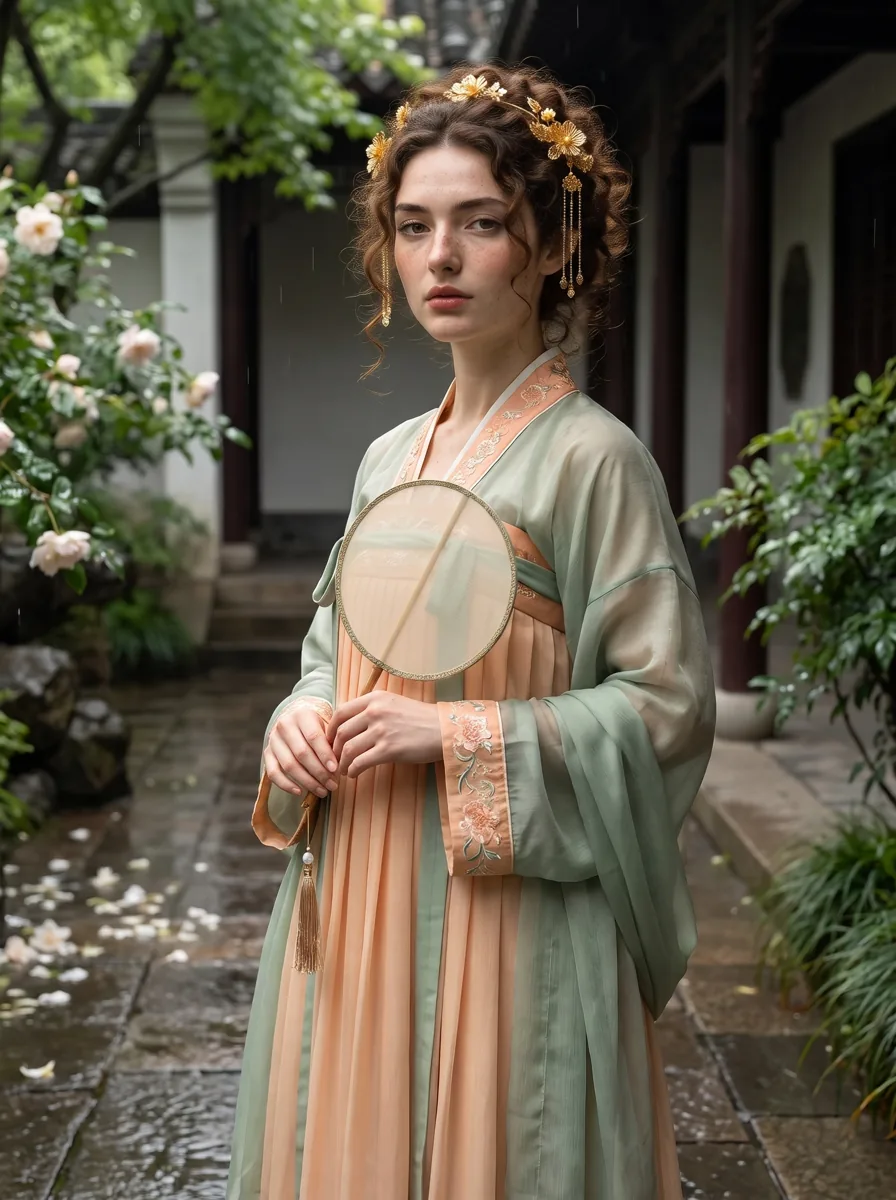
- Ruqun: peach skirt, pale green upper layers and a round silk fan for a softer garden palette.
- Tang-inspired Empress: red-and-gold court-inspired layers and an elaborate headdress for a ceremonial composition.
- Mianfu-inspired Emperor: broad gold-and-red layers and a beaded crown for an imperial-inspired portrait.
Compare what the images show, especially sleeves, skirt line, layers and headwear. The names help you select a look; they do not certify an excavated pattern or an exact historical outfit. Victorian, Renaissance, Medieval, 1920s, Ancient Roman and Ancient Egyptian collections each offer two additional outfits.
Prepare a usable photo at home
Use a well-lit portrait with your face clearly visible. You can wear ordinary clothes in the source image. A simple background and an unobstructed face give you fewer competing details to evaluate in the result; they do not guarantee a perfect likeness. Avoid sunglasses, strong beauty filters or deep shadows across the features you want to recognize.
The tool accepts JPG, PNG, WebP and AVIF files up to 20 MB. Everyone pictured must be an adult who has agreed to this use, and you must own the photo or have permission to use it. Read the photo processing and retention information before uploading, including the role of external processing providers. An AI portrait is not a local-only photo edit.
Choose 1:1 for a square profile image, or a portrait ratio when showing more of the outfit matters. A full-length composition can involve AI inventing parts of the body, pose and setting beyond what is visible in your source photo. Check those parts rather than treating them as a record of your measurements.
Describe a scene, without rewriting the outfit
Select the garment in the gallery first. Use the optional scene field for location, pose, light and mood. Combining several dynasties, demanding a different garment and adding many props makes your intended result harder to judge. Begin with one setting and a clear composition.
Here is the scene prompt paired with the Ruqun example in our existing development generation record:
A three-quarter-length portrait in a shaded garden corridor after light rain, with pale blossoms and soft reflected daylight. Hold the round silk fan near the waist; show the peach skirt and sage-green layers with realistic folds.
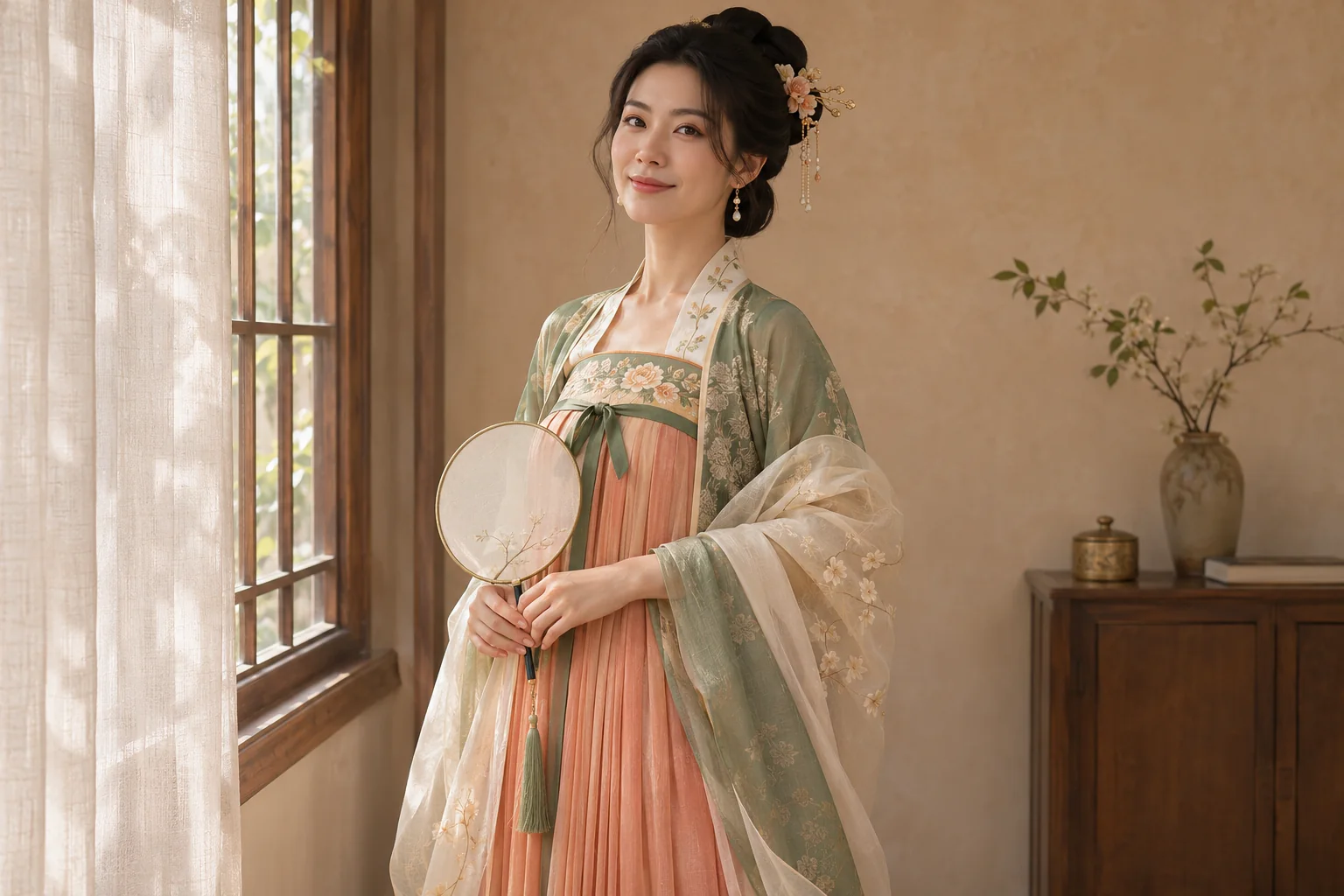
For a quieter at-home mood, you could instead try this scene suggestion: “A three-quarter portrait beside a softly lit window, with a plain warm wall and a relaxed standing pose. Keep the selected outfit visible.” This is an untested prompt suggestion, not a promised result. A generated room or garden does not establish where you were photographed.
Generate once, then inspect before trying again
After preparing your photo and outfit, review the model, ratio and displayed credit cost. Sign in, confirm the adult-photo permission statement and generate. The current model is Nano Banana Pro with 2K output, at a base rate of 50 credits per portrait before eligible plan discounts. Browsing is available before buying; generation uses paid credits. Check current plans and credit rules before submitting. See the step-by-step historical portrait guide if you need the full workflow.
Inspect the face and expression first, then hands, fingers, sleeves, fastenings and accessories. A fan may merge with a hand, a crown may become uneven, or fabric may have an impossible edge. At profile size, also check whether the crop hides the details that made you choose the outfit.
If the result needs work, identify one problem before spending more credits: use a clearer source photo for an obscured face, simplify a crowded scene, or choose a different available outfit for a different silhouette. Each generation can vary and uses credits. These adjustments do not guarantee exact facial or garment consistency.
Share the portrait with an accurate caption
Describe it as an AI-created Tang-inspired or hanfu-style portrait. If it evokes a trip you missed, make that distinction clear when sharing. Keep an actual travel photograph separately from an imagined setting. For costume planning, use the image to discuss color or mood, then check construction and fit with a maker.
For historical study, use dated sources alongside the portrait. The Cleveland Museum of Art’s Court Lady with High Chignon, about 700–750, records a particular Tang-period figure. It can inform a discussion of represented clothing; it does not authenticate every detail an AI model invents. The Tang guide’s questions and sources explain the limits of using a generated image as a costume reference.
Prepared by HistoryOutfit with AI writing assistance and editorial review. The cover is an AI-created editorial illustration. The Ruqun example comes from an existing documented development generation; no new likeness test was conducted for this article. About HistoryOutfit.